![Collage of the 11 hairstyle try-on apps reviewed, from HairHunt to My Hair [iD]](assets/cover-16x9.jpg)
The best hairstyle try-on app for a real haircut decision is HairHunt (4.6/5), which tries cuts on your own face without beauty filters. The best free haircut simulator with no download is MyEdit, at three free credits a day in your browser. HairHunt also leads for men's cuts. For bangs, use Hairstyle Try On With Bangs; for a color change before the cut, My Hair [iD].
Quick picks
- Best overall: HairHunt, built for the salon decision (4.6/5)
- Best free, no download: MyEdit, three free credits a day in a browser
- Best for men's haircuts: HairHunt, men's styles plus beard variations
- Best for bangs: Hairstyle Try On With Bangs, 20+ fringe styles you can reposition
- Best for color before a cut: My Hair [iD], shades that map to real salon formulas
Disclosure: The author has a professional connection to HairHunt's developer. HairHunt is ranked first on the criteria set out below, applied identically to every app here — and its weaknesses are stated alongside everyone else's. No app on this list paid for placement.
How We Tested: One Selfie, 11 Apps
We ran the same selfie through all 11 apps and judged each preview on one question: would it actually help someone decide on a haircut?
"Realism" depends on your face, hairline, camera and bathroom light, so we scored on things that hold whatever face is in the photo:
- Decision usefulness: is the tool built to help you choose a haircut, or to make a shareable photo?
- Style library depth: how many distinct cuts, organized by length, texture and face shape?
- Honest previews: does a beauty filter slim the jaw, smooth the skin or enlarge the eyes of the face you're judging?
- Real free access: what you get without paying, whether exports are watermarked, and whether the "free trial" is free.
- Workflow friction: account requirements, how strict the photo rules are, and how hard the app pushes a subscription.
Each app gets an overall score out of 5 across these criteria. Store ratings, prices and credit allowances change often, so check the current terms before you pay.
Hairstyle Try-On Apps Compared: Free Limits, Men's Styles and Scores
HairHunt scores highest and MyEdit has the most generous free access. Apps appear in the same order as the reviews.
| App | Score | Platform | Free access | Men's styles | Face-shape analysis | Best for | Get it |
|---|---|---|---|---|---|---|---|
| HairHunt | 4.6/5 | iOS, Android, web | Free try-on, then credits | Yes, plus beards | Yes | Deciding on a cut before a salon visit | Site · App Store · Google Play |
| HairApp | 3.4/5 | iOS, Android | Discounted trial, not free | Beard filters | Yes | Face shape and color analysis | Google Play |
| Hairstyle Try On With Bangs | 3.2/5 | iOS | Free, paid upgrade | — | — | The bangs question, specifically | App Store |
| Modiface Haircut: Hair Makeover | 2.5/5 | Android | Free | Yes, as overlays | No | A rough idea of length or color | Google Play |
| YouCam Makeup | 4.4/5 | iOS, Android, web | Limited credits, watermarked | — | Styles sorted by face shape | Hair plus makeup in one preview | Site · App Store · Google Play |
| FaceApp | 3.9/5 | iOS, Android | Free tier, paid Pro | — | No | Dramatic length and color changes | Site · App Store · Google Play |
| Perfect365 | 4.0/5 | iOS, Android, web | Free, ad-supported | — | — | Bold and fantasy hair colors | Site · App Store · Google Play |
| Facetune | 3.0/5 | iOS, Android | Limited free, paid subscription | 5 men's styles | — | Adjusting hair in a photo you already like | Site · App Store · Google Play |
| PhotoDirector | 3.7/5 | iOS, Android, desktop | Limited free features | — | — | Previews inside a full photo editor | Site · App Store · Google Play |
| MyEdit | 3.6/5 | Browser, iOS | 3 credits per day | — | No | Free comparisons with no download | Site · App Store |
| My Hair [iD] | 4.1/5 | iOS, Android | Free, no in-app purchases | Color only | No (hair diagnosis) | Color that maps to real salon formulas | Site · App Store · Google Play |
Dedicated Hairstyle Try-On Apps
These four exist only to change your hairstyle.
1. HairHunt — Built for the Salon Decision, Not the Selfie
Get it: Official site · App Store · Google Play · Developer: Sugesta LLC
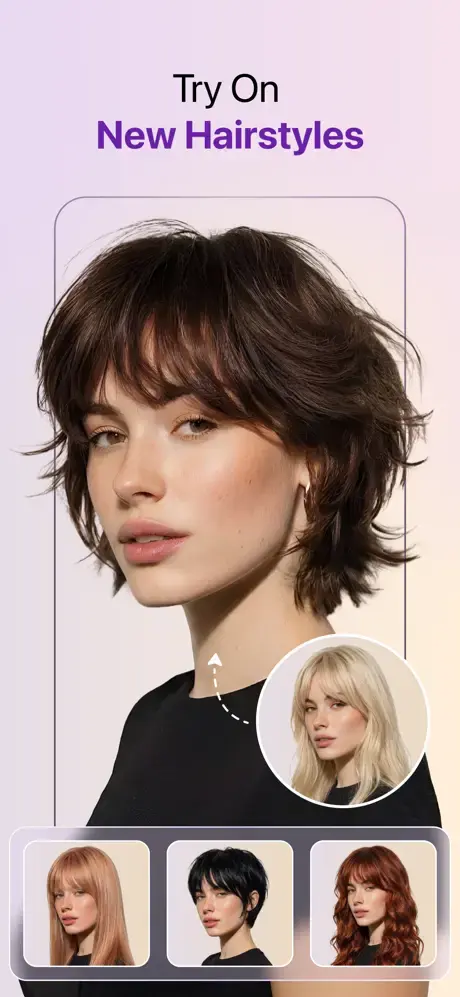
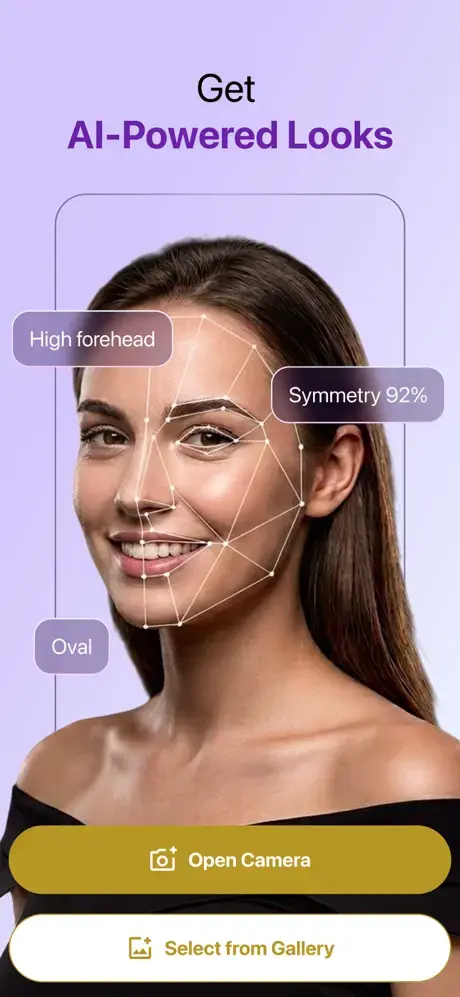
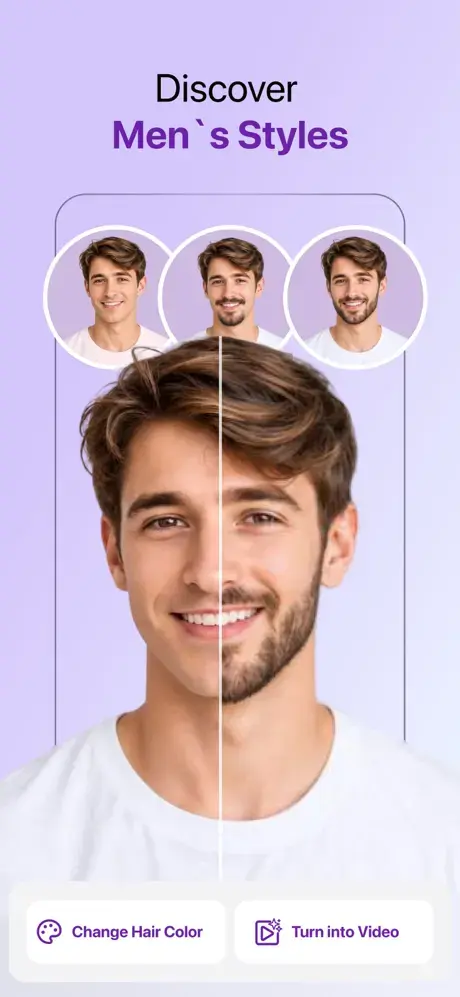
HairHunt is the only app here built around hairstyle decision-making, and it deliberately avoids face-altering beauty filters. A short quiz and AI face-shape analysis come first. Then you choose from more than 200 hairstyles organized by length and texture, try several variations of one haircut or beard style in one go, or upload your own reference photo. Each style comes in 10 popular colors, and a library of around 150 shades, from neutral bronde to caramel balayage, recolors your own hair without changing the cut.
Where it is strict: the credit model has drawn criticism. Several Google Play reviewers found each color variation used a credit faster than expected, and the developer has since raised subscriber allowances. In September 2026 it held 4.1 out of 5 from 842 Google Play ratings after a late-2025 launch, a thinner review history than the beauty-suite veterans have.
2. HairApp — Useful Analysis, Aggressive Billing
Get it: Google Play · Developer: xLabs Dijital Hizmetler A.Ş.
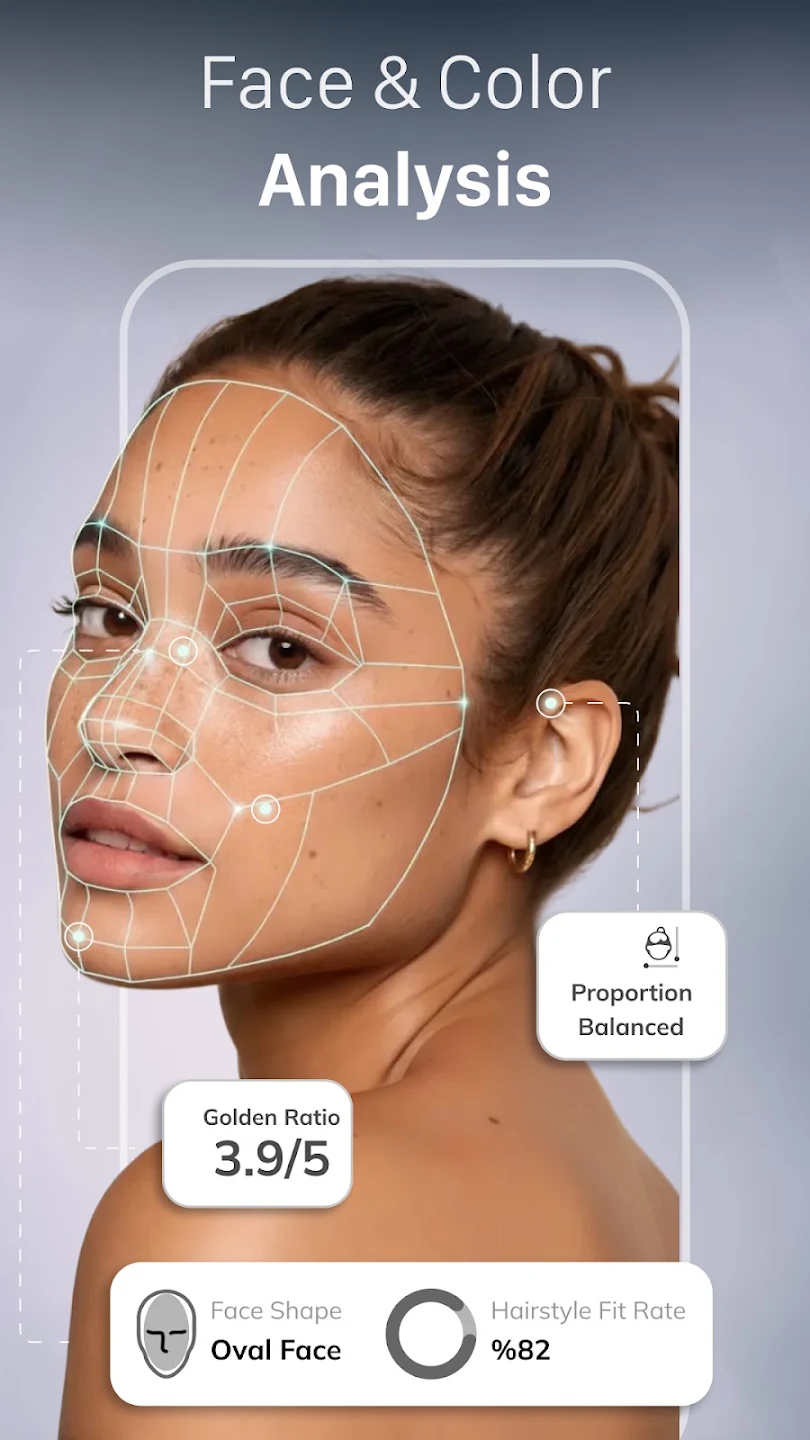
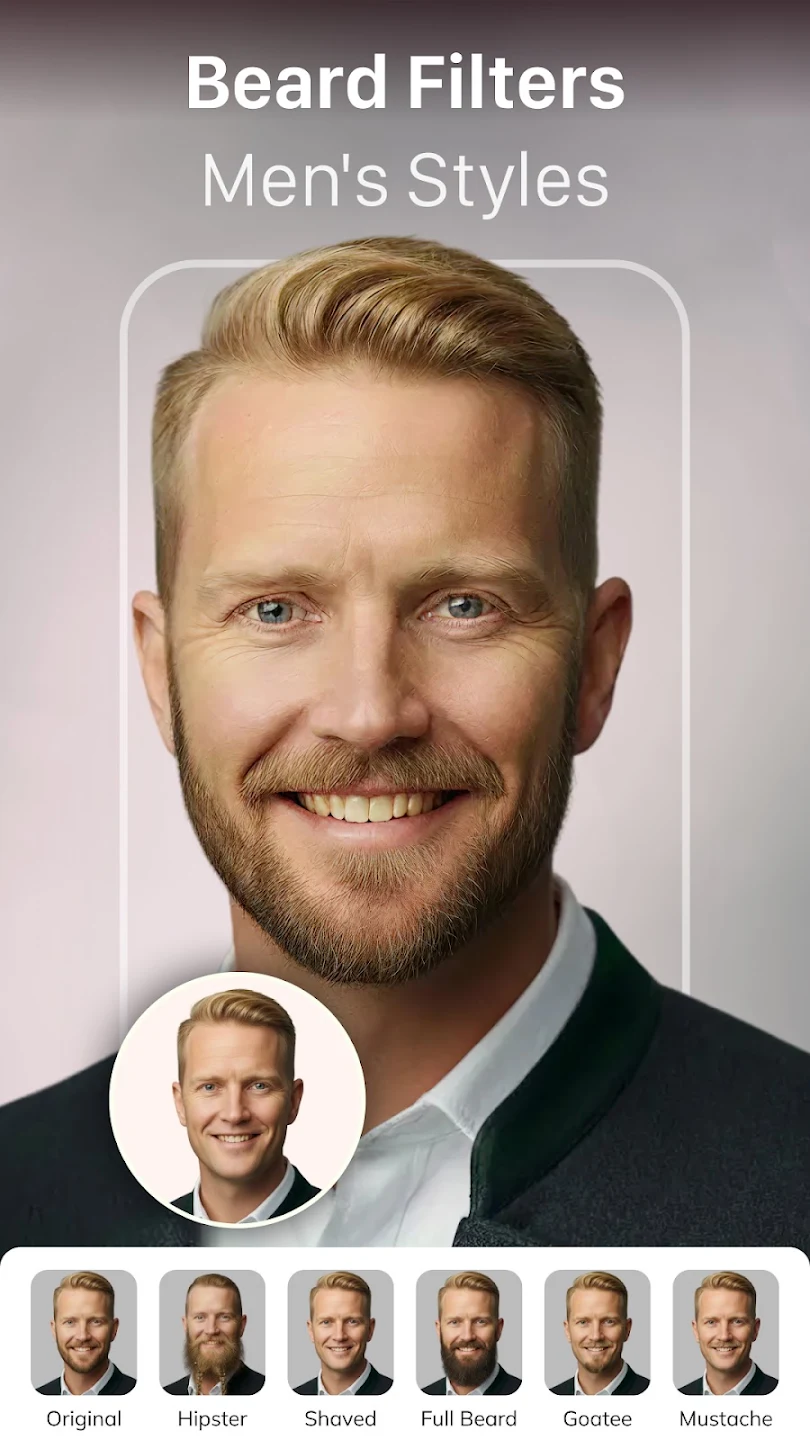
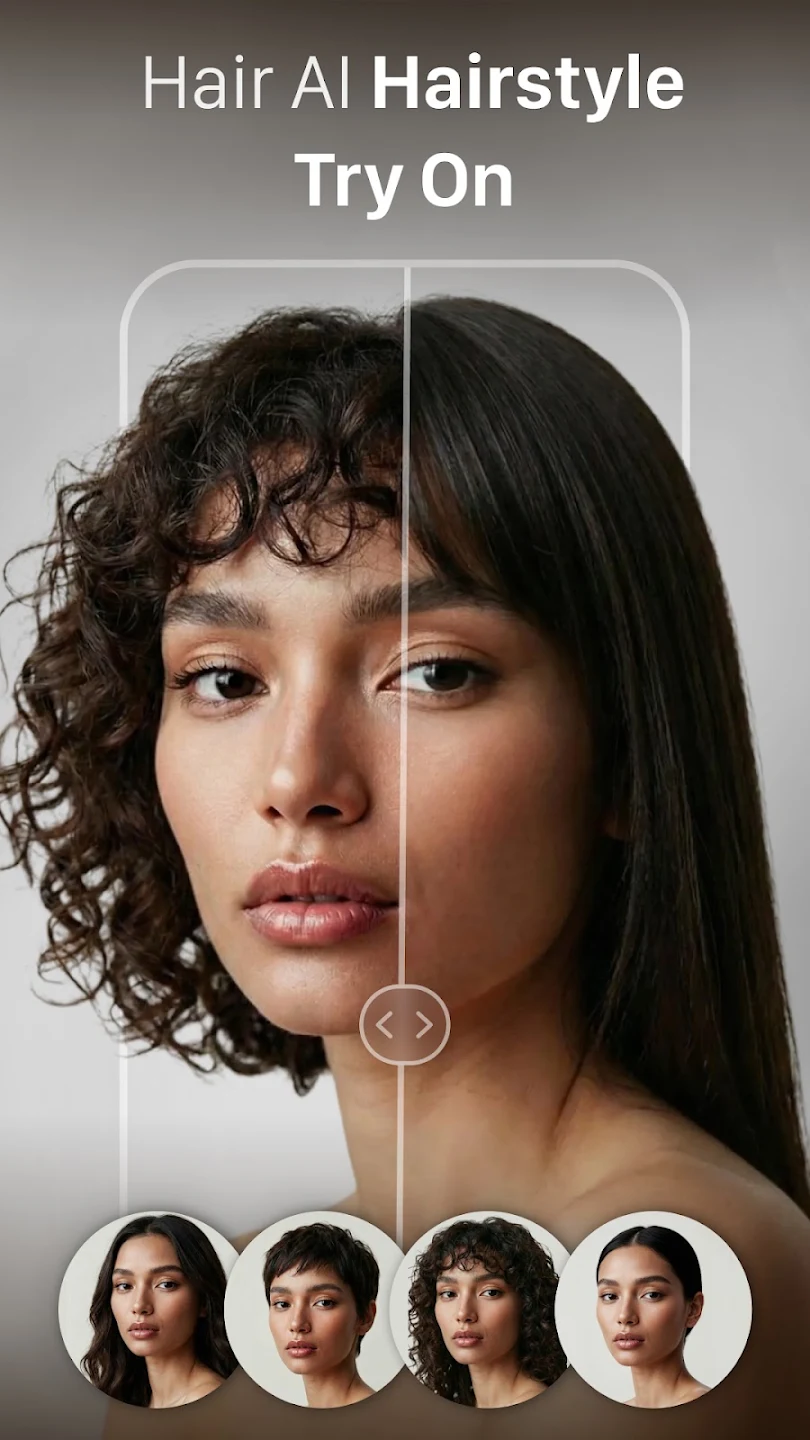
HairApp is the most feature-dense app here, and two features are genuinely decision-relevant: automatic face shape analysis and seasonal color analysis, which most try-on tools skip. It also detects hair type before applying a style and adds beard filters for men.
It earns a warning, not a higher placement. App Store reviewers repeatedly report that the free trial is a discount rather than a free period, that cancelling is hard, and that the applied style often doesn't match the thumbnail; one couldn't combine bangs with a long style at all. Nail art, age guessing and celebrity look-alikes show where its attention goes. Read the terms on the payment screen.
3. Hairstyle Try On With Bangs — One Question, Answered Properly
Get it: App Store · Developer: Jorge Gregorio Martin Bello
Bangs cause more haircut regret than any other single decision, because they're the one cut you can't style your way out of. This iOS app does nothing else: more than 20 fringe styles — curtain, blunt, wispy, micro, side-swept — laid over your photo with adjustable positioning, so you can test where the fringe sits against your brows and hairline.
Positioning is what matters: curtain bangs cut at cheekbone and at jaw level are different haircuts with different upkeep, and dragging the fringe tells you more than swapping fixed presets. The trade-off is scope: it answers the bangs question only, and only on iPhone.
4. Modiface Haircut: Hair Makeover — No Relation to L'Oréal's ModiFace
Get it: Google Play · Developer: One Music Player
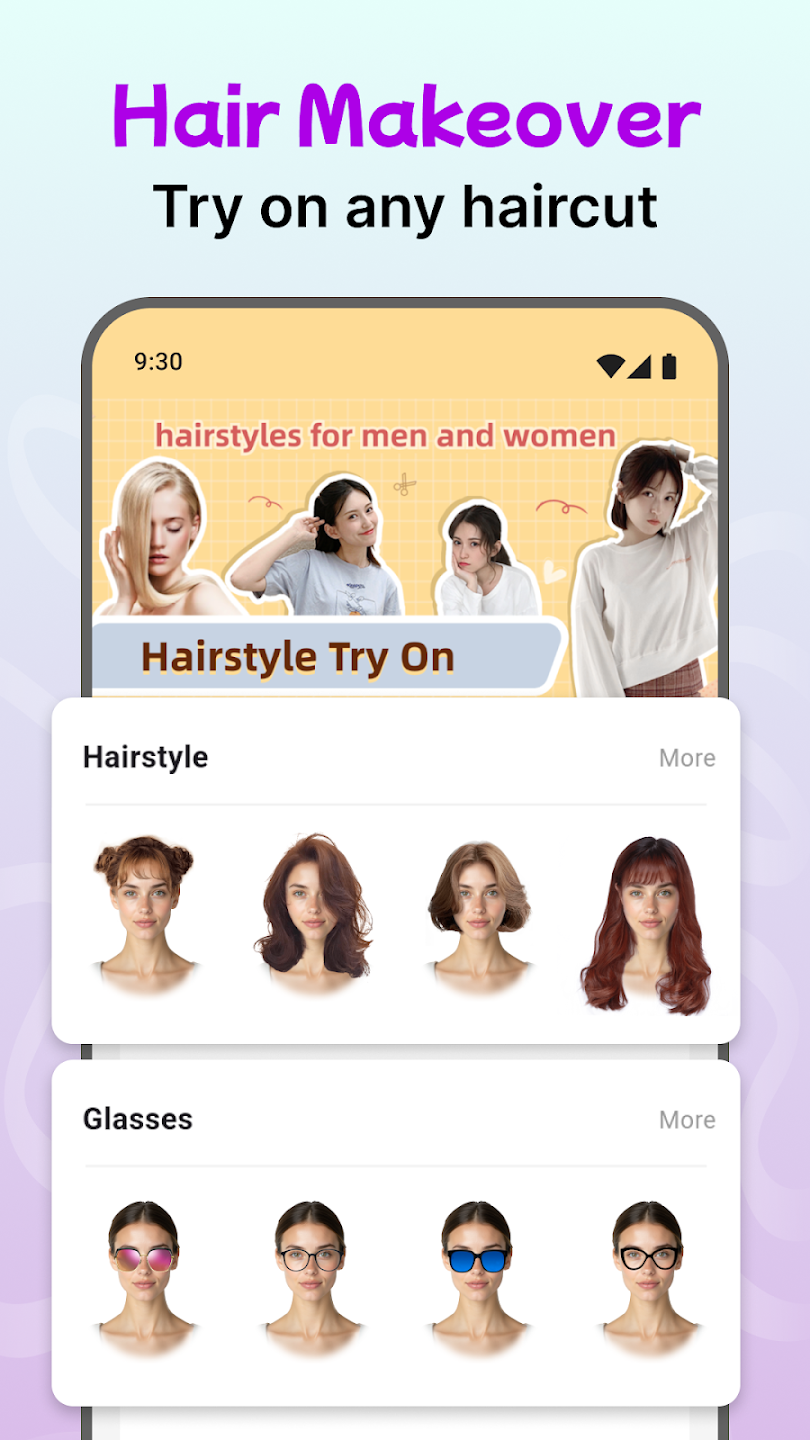
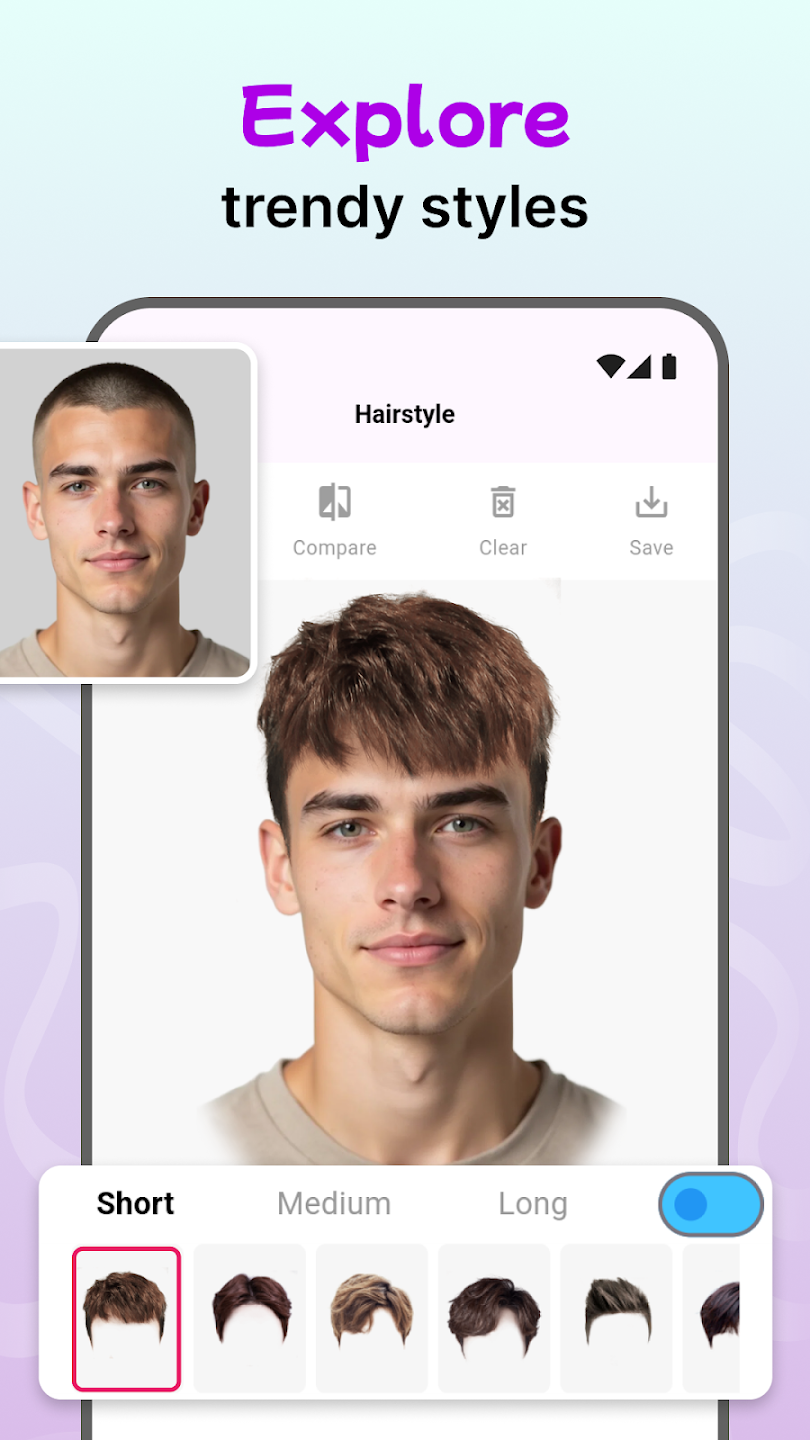
Despite the name, this third-party Google Play app from One Music Player has no connection to ModiFace, the AR beauty-tech company acquired by L'Oréal in 2018, whose technology powers official try-on tools for L'Oréal Paris, Garnier and L'Oréal Professionnel. Borrowing a known name is a common way to attract downloads.
The results show it. Instead of rendering a new hairstyle, the app lays cut-out hair over your photo, like 1990s photo software. It hints at a length or color but can't show how a cut would sit on your face, which is why it scores lowest.
Beauty Apps With AI Hairstyle Changers
In these four beauty suites, an AI hairstyle changer is one feature among many. They render well, but none was built for the haircut decision.
5. YouCam Makeup — The Deepest All-Around Beauty Suite
Get it: Official site · App Store · Google Play · Developer: Perfect Mobile Corp. (Perfect Corp.)
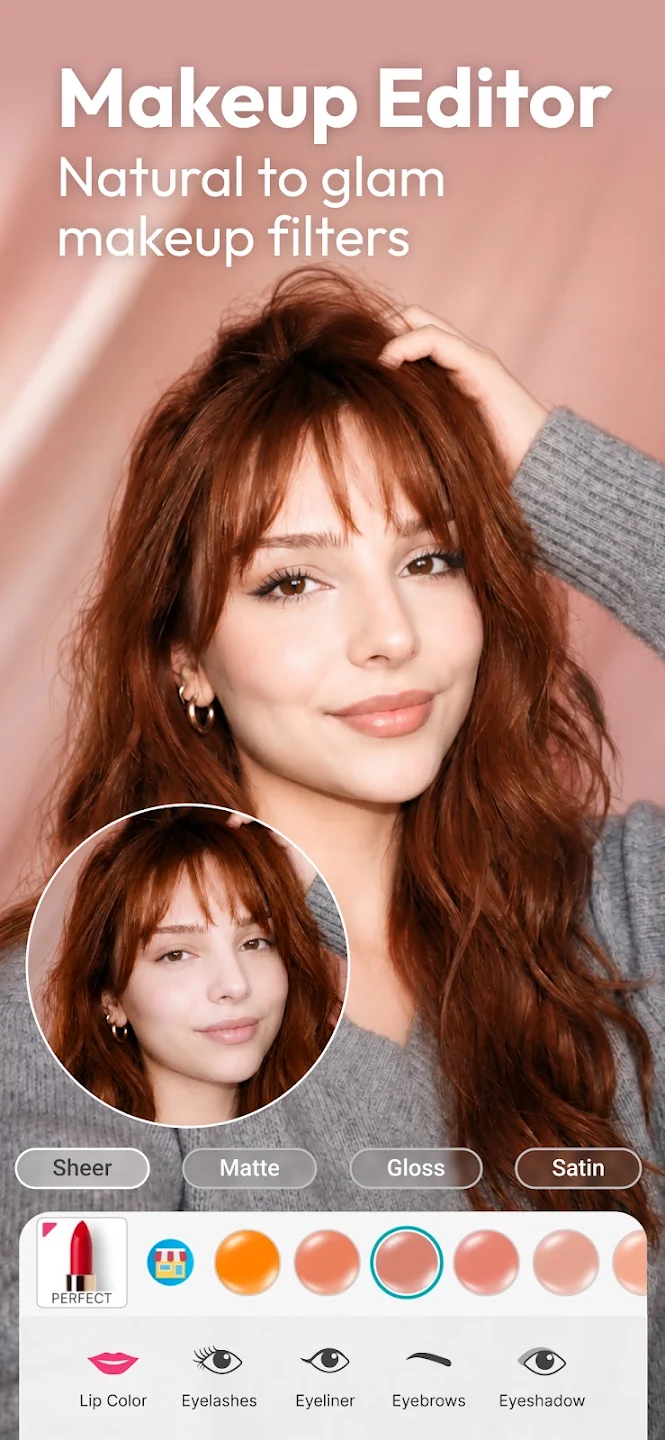
Perfect Corp's YouCam Makeup pairs AI hairstyles and a hair color changer with full makeup, retouch and body editing; its Google Play listing cites 300 million users. If you're changing your hair for a wedding or a new job, it's the only mainstream tool that shows the cut with the makeup you'd actually wear. Styles are sorted by face shape, which narrows the library fast.
The trade-offs are commercial: free credits are metered and exports watermarked, and commercial use, like a salon posting a client simulation, needs Pro. Independent July 2026 testing found only two free generations before YouCam's counter runs out, thin if you're comparing six cuts.
6. FaceApp — Best for Testing a Dramatic Change
Get it: Official site · App Store · Google Play · Developer: FaceApp Technology Ltd
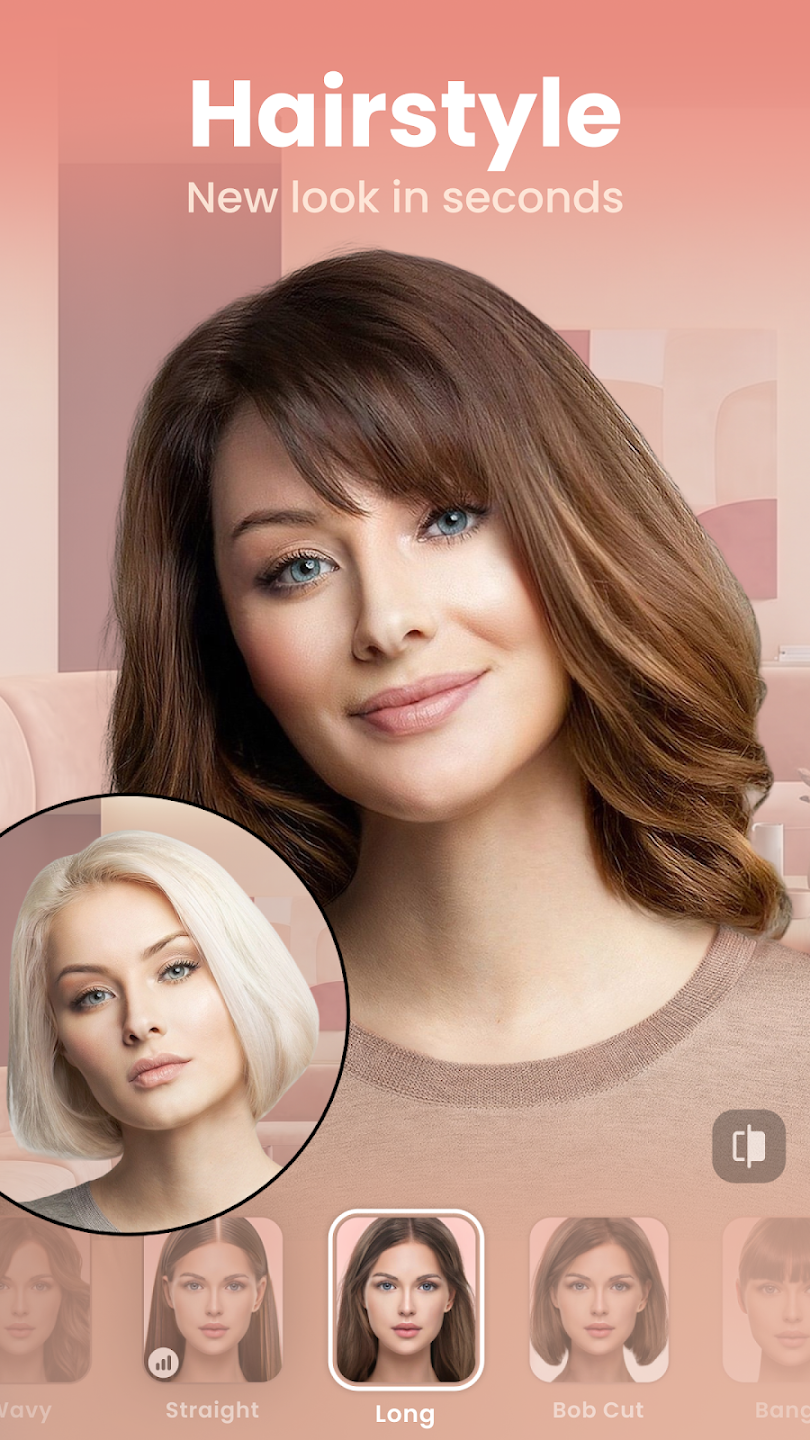
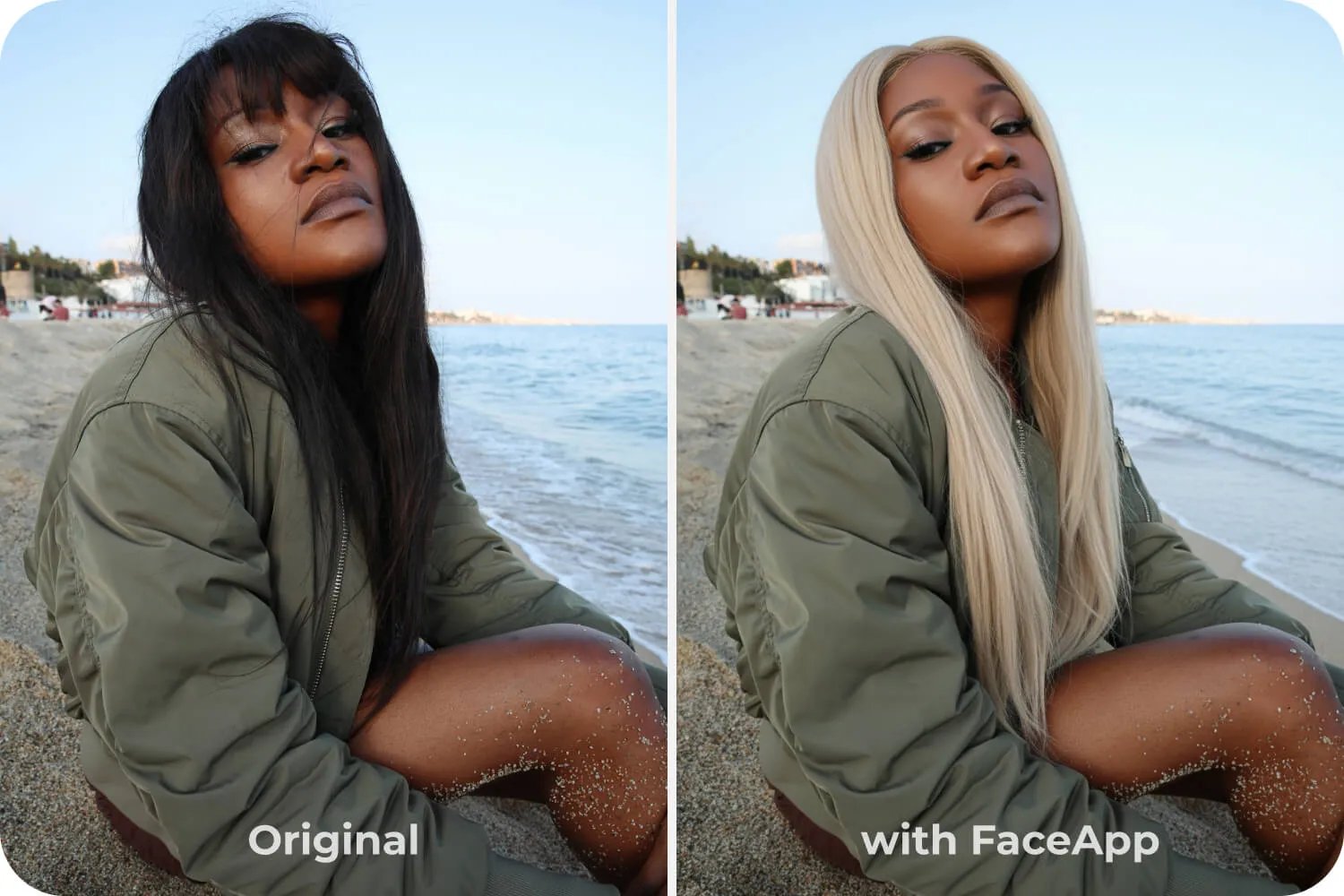
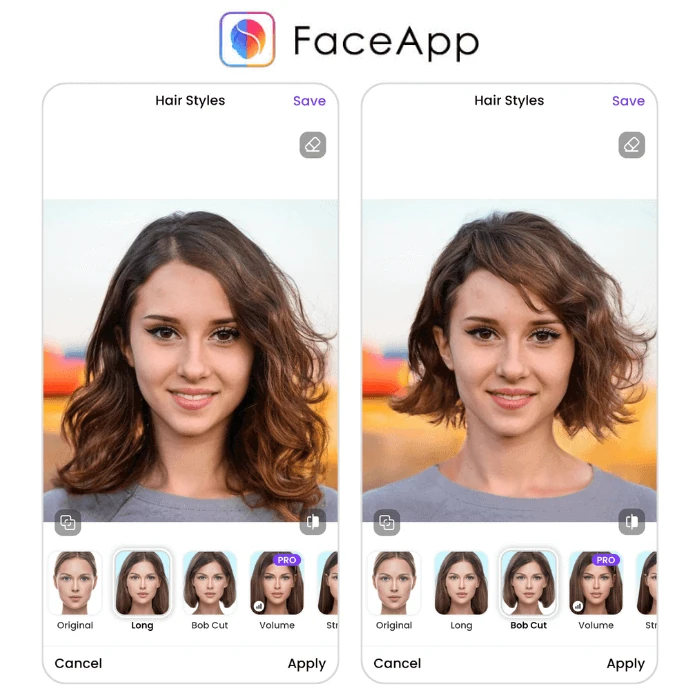
FaceApp's neural editing makes a waist-length-to-pixie preview read as a photograph, not a paste-up, exactly when you most want reassurance. Hair sits in transformation packs alongside age and expression edits, and around 4.7 stars from over 1.2 million reviews means the rendering is well stress-tested.
It's weakest in low light, where styles look artificial, and it has no face-shape logic, so it will happily show a cut that does nothing for your bone structure. Shoot in daylight and treat the result as a "could I live with this length" test.
7. Perfect365 — Bold and Fantasy Colors Without the Commitment
Get it: Official site · App Store · Google Play · Developer: Perfect365, Inc.
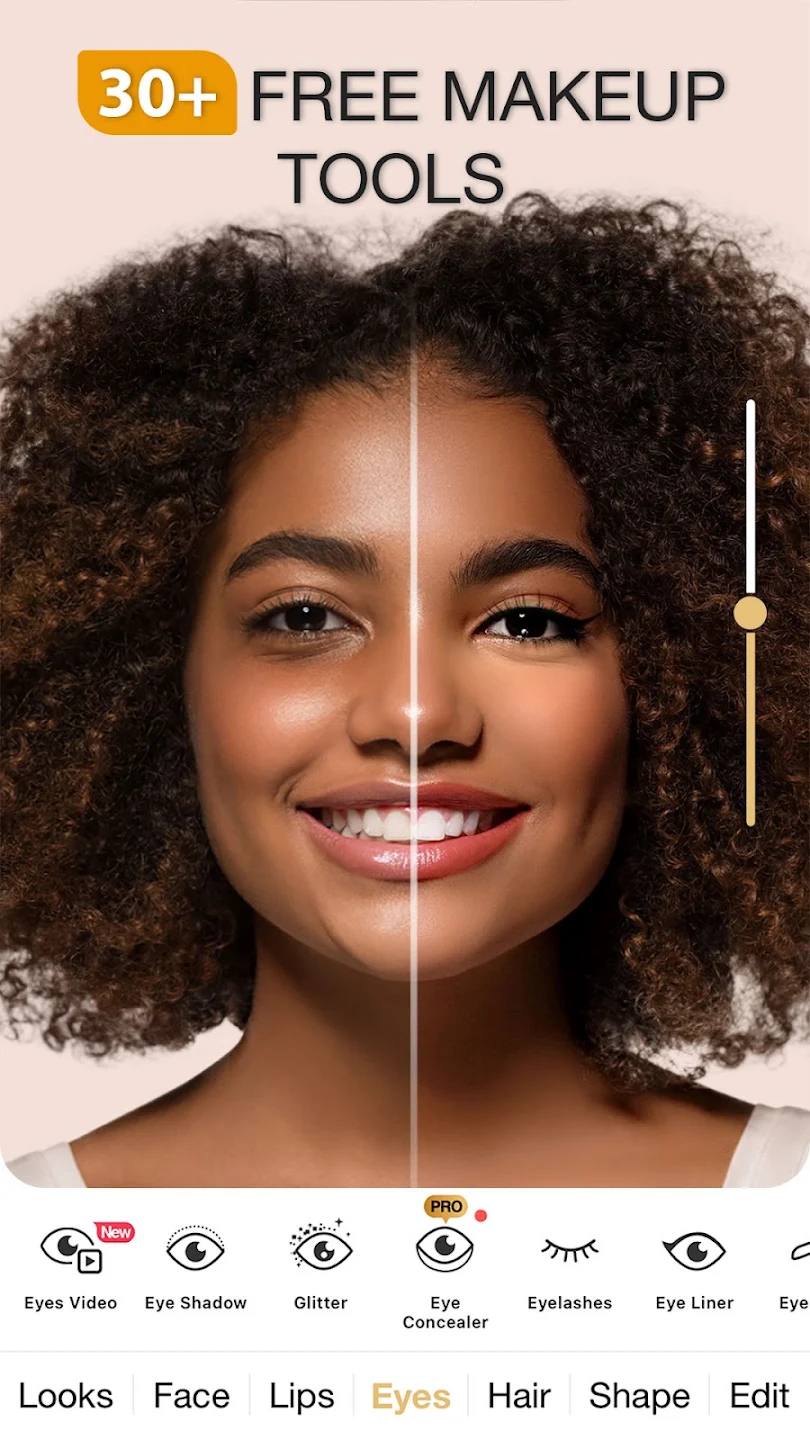
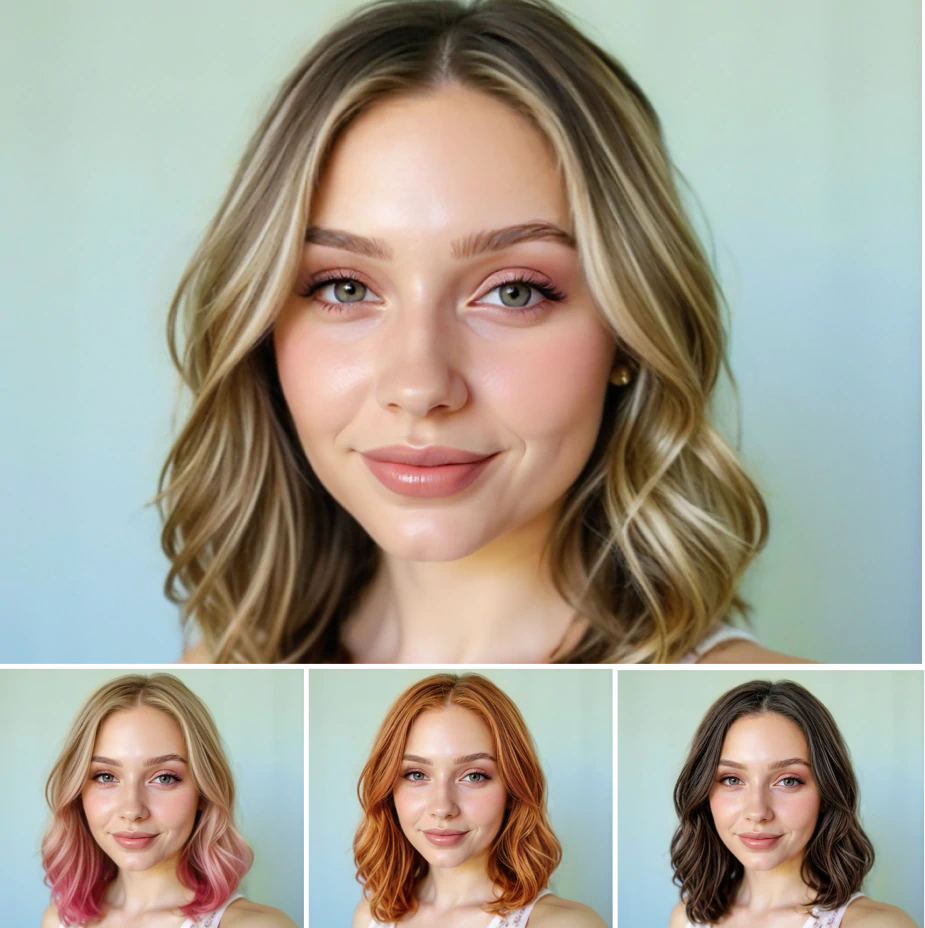
Perfect365 owns the vivid-color niche. Rose gold, electric blue, pastel lilac and copper, which most tools render as a flat wash, come out with enough dimension to judge. That matters because fantasy color is where a bad guess costs most in bleach damage and salon hours. It has a large preset library and over 100 million users.
Haircut selection is thin, beauty filters can flatter your face into something it isn't, and the free version shows ads. Treat it as a color sandbox, not a haircut simulator.
8. Facetune — For Refining a Photo, Not Choosing a Cut
Get it: Official site · App Store · Google Play · Developer: Lightricks Ltd.
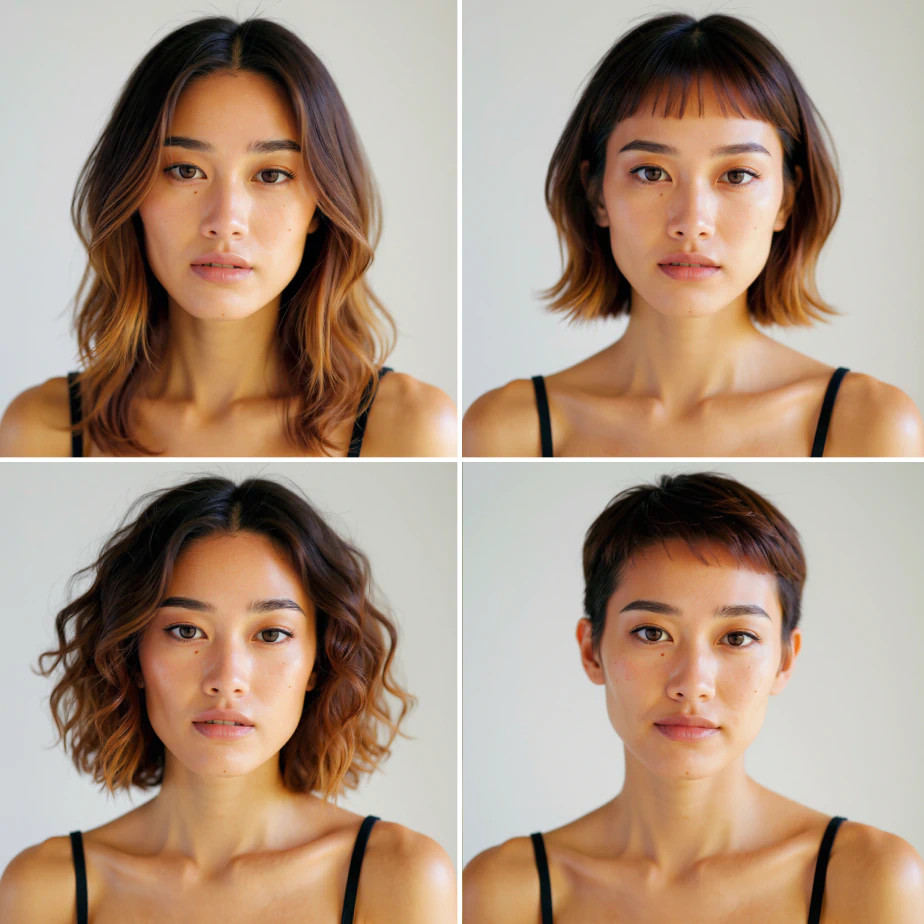
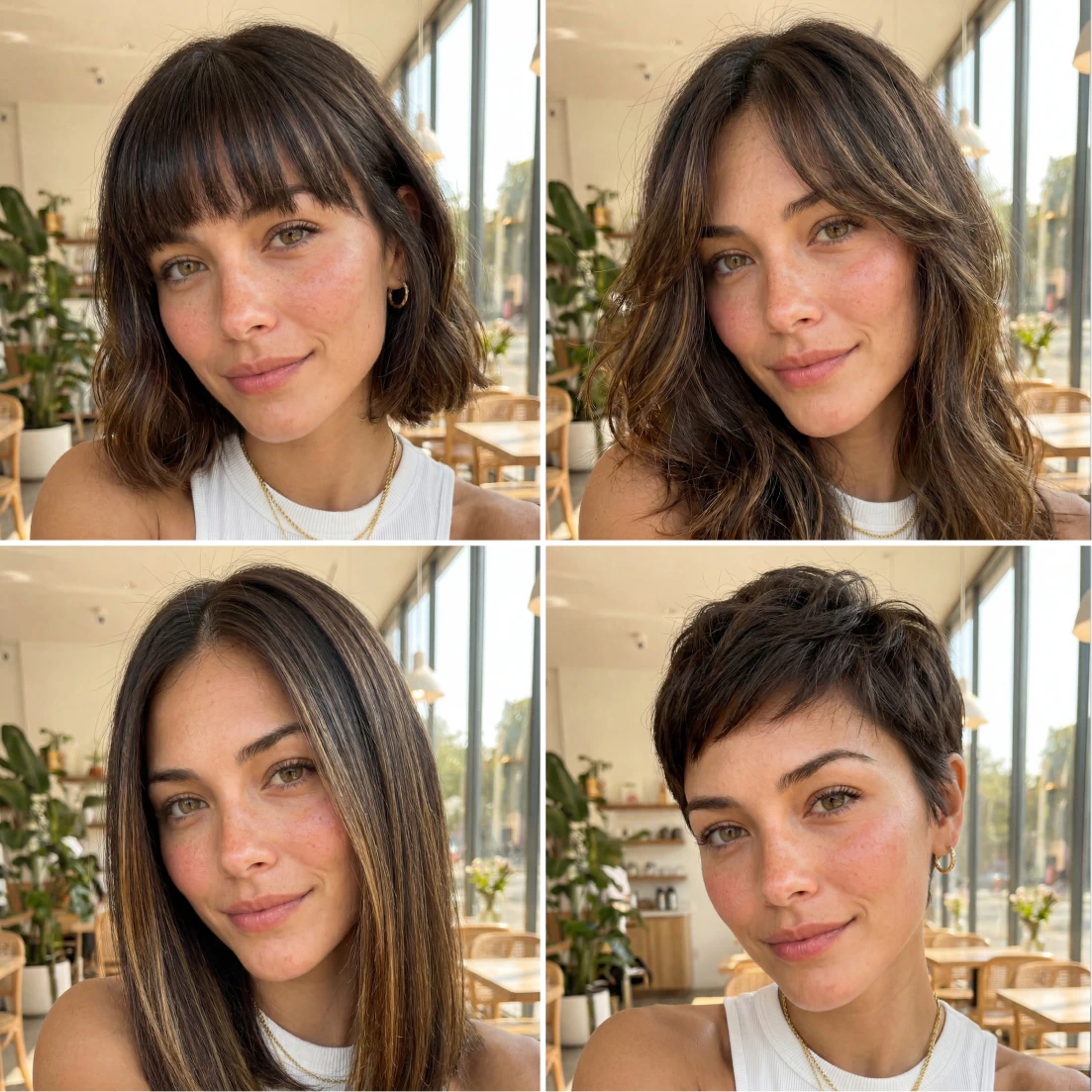
Facetune, from Lightricks, produces convincing hairstyle try-on results and offers useful tools for tidying flyaways, adjusting color tone, and making hair appear fuller in photos.
Its main limitation is choice: just 13 hairstyles for women and five for men, leaving little room to explore alternatives. As a retouching app, its broader strengths lie in polishing a photo, making it less useful for comparing options before deciding on your next haircut.
Haircut Simulators in Photo Editors and Your Browser
Two CyberLink tools put a haircut simulator inside a photo editor or a browser tab.
9. PhotoDirector — Hairstyle Previews Inside a Serious Editor
Get it: Official site · App Store · Google Play · Developer: CyberLink
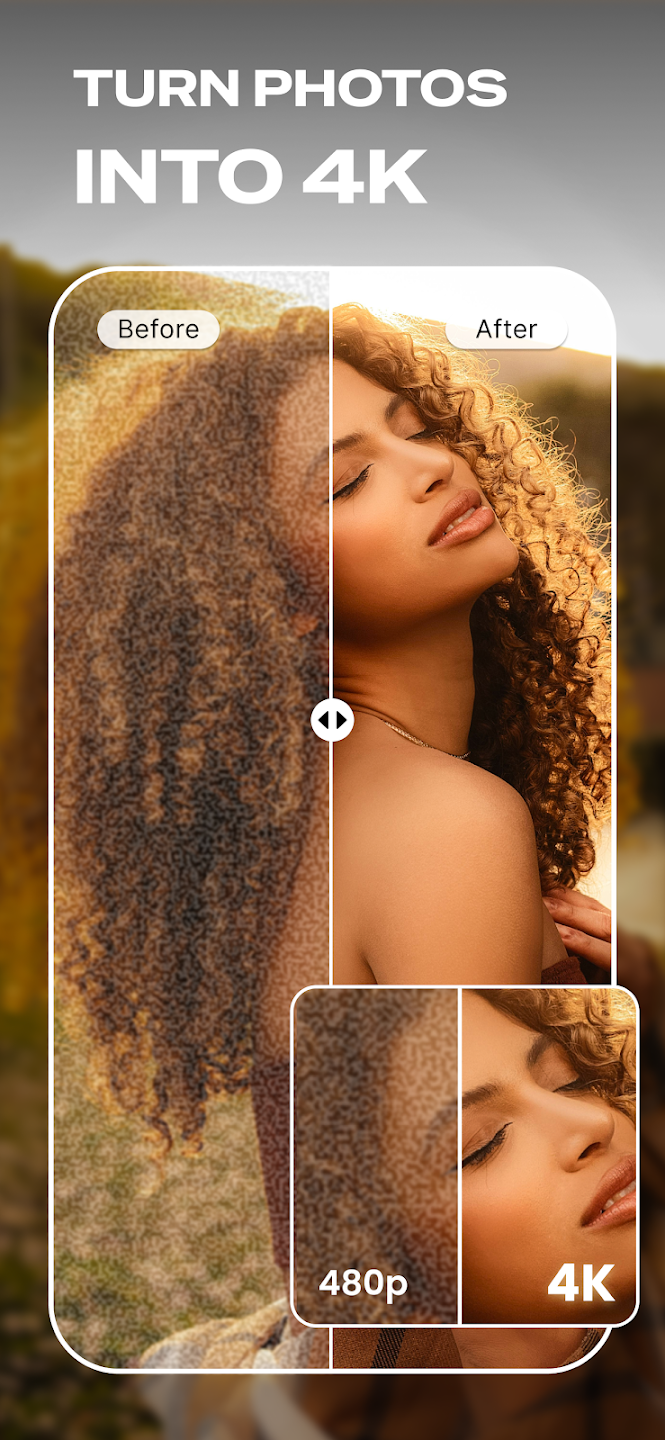
CyberLink's PhotoDirector treats AI Hairstyle as one feature in a desktop-grade editor with portrait retouching, object removal and generative fill. You can fix the exposure on a badly lit selfie first, then run the hairstyle preview on the cleaner image, which measurably improves the result.
Its roughly 20 hairstyle presets are few next to dedicated hair apps, and the learning curve is the steepest here, which makes it wrong for anyone who just wants to see a bob in 30 seconds.
10. MyEdit — The Most Generous Free Allowance
Get it: Official site · App Store · Developer: CyberLink
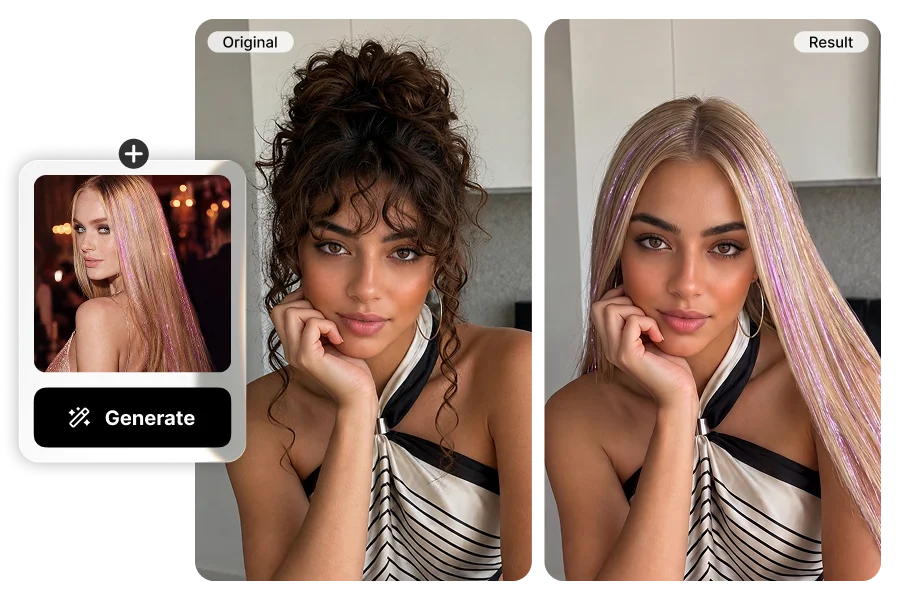
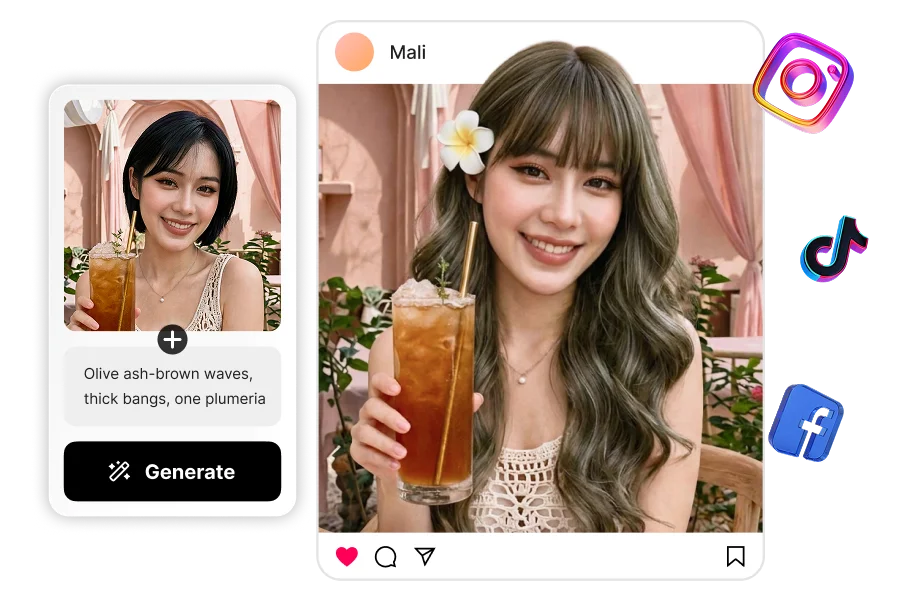
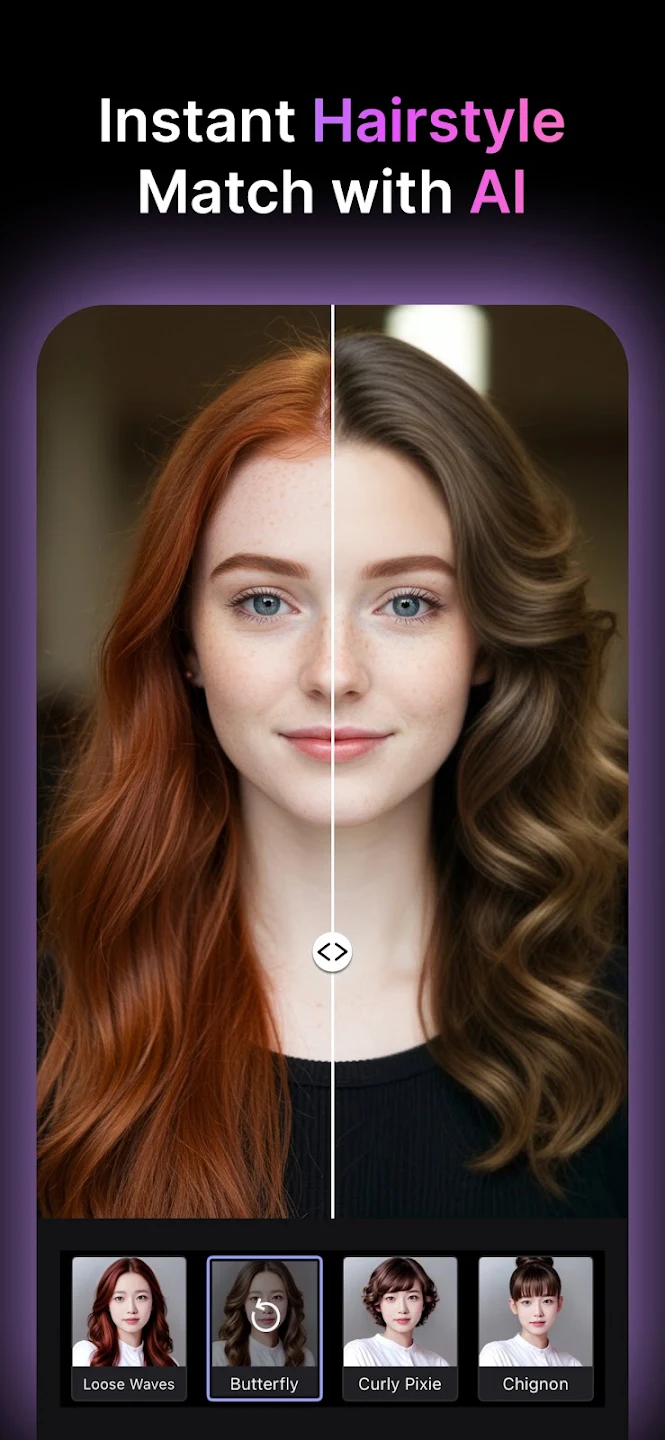
MyEdit, also from CyberLink, runs in the browser and gives three free credits a day, the most generous free allowance in independent July 2026 testing of the major try-on tools: enough for one new cut a day on the same photo for a week.
There's no guided camera, so results depend entirely on the photo you upload, and there's no face-shape guidance or styling context: you get the image and nothing else.
Also in your browser: Fotor and insMind. Fotor's hairstyle changer face-swaps rather than generates, so it's fast but leaves visible edges across the forehead, and free exports are watermarked. insMind has clean, separate men's and women's paths, but a July 2026 check found no free tier and plans from roughly $5.83 a month billed annually, charged as one yearly payment. Both are fine for shortening a shortlist, not for a final decision.
Color-First Pick for When the Cut Comes With a Color Change
If a new cut comes with a new color, check the shade against a real salon formula before you book.
11. My Hair [iD] — Color That Maps to a Real Salon Formula
Get it: Official site · App Store · Google Play · Developer: L'Oréal
![My Hair [iD] split preview of one face with natural brown and copper hair color](images/hairstyle-try-on-my-hair-id-color-split-preview.webp)
![My Hair [iD] diagnosis screen asking for the client's regrowth tone level](images/hairstyle-try-on-my-hair-id-hair-condition-diagnosis.webp)
This is L'Oréal Professionnel's in-salon consultation tool, free with no in-app purchases because the product being sold is the color service. Its shades correspond to real formulas your colorist can mix (the brand cites more than 4,000), and a hair diagnosis covering condition and metal exposure comes before any recommendation, unlike a consumer app's generic "platinum."
It's a color tool, so it won't show you a bob, and it's built for stylists first, with professional vocabulary throughout. Store ratings are unflattering: 2.2 out of 5 from about 2,120 Google Play reviews, mostly for unrealistic results on lighter shades and technical glitches, and around 3.8 from roughly 21 App Store ratings.
Stylist tip: Screenshot the shade in both the app and in daylight by a window, then bring both to your consultation. Colorists work from level and tone, and two screenshots under different light communicate what you're asking for far better than one.
Hairstyle App for Men: Which Try-On Apps Actually Have Men's Cuts
Three apps here have confirmed men's options. HairHunt has a men's style library and tries several variations of one haircut or beard style at once, HairApp adds beard filters and men's styles, and Facetune offers five men's hairstyles. Modiface Haircut's store screenshots show short men's styles too, but as cut-out overlays.
Short men's cuts are easier for AI to render convincingly than long women's styles, because there is less hair to generate and blend.
Free Hairstyle Try-On Without Downloading an App
MyEdit is the best free hairstyle try-on that needs no download: it runs in a browser and gives three free credits a day, enough to test one new cut a day for a week on the same photo.
HairHunt, YouCam Makeup and Perfect365 also list web versions. YouCam's free tier ran out after two generations in July 2026 testing, and Perfect365 stays free by showing ads. Fotor and insMind have the catches covered above.
An App You'll See Recommended That No Longer Works
Roundups still recommend tools that were discontinued, because nobody rechecks. Style My Hair (L'Oréal Professionnel) was removed from Google Play on 30 October 2024. It had passed 4 million downloads but ended with a 1.78 out of 5 rating from roughly 9,700 reviews, and its functionality now lives in My Hair [iD].
What Hairstyle Try-On Apps Still Get Wrong
Three limitations apply to every app above, and no AI improvement has solved them yet.
Try-on apps ignore how your hair behaves
A try-on renders a shape. Cowlicks, a strong growth pattern at the crown, wave that appears only at a certain weight, coarse gray strands that won't lie flat: the AI sees none of it, yet all of it decides whether the blunt bob falls that way on you.
The preview shows the styled result, not the daily one
Every preview is effectively a blow-dry. If a cut needs 20 minutes with a round brush and you have eight in the morning, you'll rarely see that result. Ask your stylist how the cut looks air-dried.
No app can assess your hair's condition
No tool here knows your hair is mid-grow-out from a bleach, or that your ends are porous enough that going three shades lighter would compromise elasticity. That assessment happens in person, with hands in your hair.
Stylist tip: Bring two or three previews of the same cut rather than five previews of five different cuts. A stylist can work with "I want this shape, is it realistic on my texture?", but unrelated options turn the consultation into narrowing down instead of planning.
How to Get a Usable Result From Any Haircut Simulator
Photo quality changes results more than the choice of app: the same tool that makes a fake-looking pixie from a dim, angled selfie makes a convincing one from a well-prepared photo.
- Shoot in indirect daylight, facing a window. Overhead light casts shadows across the hairline, exactly where the AI has to blend.
- Face the camera straight on, chin level, shoulders square. Three-quarter angles force the tool to guess at hair volume it can't see.
- Tuck your hair behind your ears, and pull it back for short cuts. The more hair the AI has to remove, the more artifacts appear around the jaw and neck.
- Remove hats, headbands and heavy glasses, and use a plain background. Busy backgrounds confuse edge detection at the hair outline.
- Use the same photo in every app. Two different selfies tell you about the photos, not the haircuts.
How to Use Your Try-On Results at the Salon
A try-on image is a conversation starter, not a work order. Translate what you liked into language a stylist can cut to.
Name the length with a landmark on your own body: chin, jaw, collarbone. Then the weight: a blunt perimeter, or bulk removed through the interior. Then the face-framing: where the shortest piece should start, at the cheekbone, nose or chin. A preview communicates none of these on its own.
Say plainly that the image came from an AI try-on. Stylists read these as a direction, not a promise, but only if you tell them.
FAQ
Which hairstyle try-on app is the most accurate?
No single app is reliably the most accurate, and anyone claiming otherwise is guessing. Accuracy depends on your face shape, hairline, lighting and the style being rendered; short cuts on someone with long hair are the hardest case for every tool. Run the same photo through two or three apps and compare.
Is the Style My Hair app still available?
No. L'Oréal removed Style My Hair from Google Play on 30 October 2024, after it had collected a 1.78 out of 5 rating from around 9,700 reviews. Its virtual color try-on now lives inside My Hair [iD], which is free and built on the same L'Oréal Professionnel shade catalog.
Can I try on hairstyles for free without downloading an app?
Yes, within limits. MyEdit runs in a browser and gives three free credits a day, the most generous free allowance we found. Fotor also runs in a browser but watermarks free exports, and insMind listed no free tier in a July 2026 check, so read the pricing grid, not the landing page.
Do hair try-on apps work for men's haircuts?
Increasingly, yes, though the category is still women-first. HairApp includes beard filters, Facetune has five men's hairstyles, and insMind and Fotor keep separate men's paths. Short men's cuts are actually easier for AI to render convincingly than long women's styles, because there is less hair to generate and blend.
Why do some apps charge for a "free trial"?
Because the trial is often a discounted first period, not a free one, disclosed on the payment sheet rather than in the store description. HairApp draws the most complaints here on this point. Before you tap through, check the renewal price and date, and whether you cancel in the app or in your Apple or Google account.
Will a virtual hairstyle preview show what my hair will really look like?
It shows the shape, not the behavior. A preview can't account for growth patterns, cowlicks, density, or how texture changes with length; a wave that lies flat at shoulder length can spring up at chin length. Treat the image as a shape reference and let your stylist judge how your hair will respond to that shape.
Are hairstyle apps safe to upload my photo to?
It depends on the app, so read its terms rather than assuming. Check three things: whether images are deleted after processing or kept, whether you can request deletion, and whether the terms give the company a license to use your images. If the privacy page doesn't answer those questions clearly, use a different app.
Is there a free app to see which haircut suits my face?
Yes, with limits. HairHunt starts with a short quiz and AI face-shape analysis, then gives a free first try-on before credits. HairApp also analyzes face shape, but its trial is a discount rather than a free period. MyEdit is more generous, at three free credits a day, but gives no face-shape guidance.
Can I try hairstyles on my face online without an app?
Yes. MyEdit is a haircut simulator that runs in any browser, and HairHunt, YouCam Makeup and Perfect365 also list web versions. Upload the same front-facing selfie, shot in daylight with your hair pulled back, to each one; otherwise you're comparing photos, not haircuts. Browser tools depend entirely on the photo you upload, because there's no guided camera.
Which haircut simulator works best for men?
HairHunt covers men best among the apps here: it has a men's style library and tries several variations of one haircut or beard style at once. HairApp adds beard filters, and Facetune offers five men's hairstyles. Short fades and crops also render more convincingly than long styles, because there is less hair to generate.
Is there an app to see what bangs would look like on me?
Yes. Hairstyle Try On With Bangs, an iPhone app, does nothing else: it lays more than 20 fringe styles, from curtain and blunt to wispy, micro and side-swept, over your photo. You can drag the fringe up or down to see where it sits against your brows, which matters because bangs cut at cheekbone and jaw level are different haircuts.
The right hairstyle try-on app is the one whose limitations you understand. Every tool here will show you a version of yourself with different hair; none of them knows your growth pattern, your porosity, or how much time you are willing to spend with a round brush on a Tuesday morning. Use the previews to narrow the field to a shape you want, then hand that shape to a stylist who can tell you what it will do on your actual head.
Hair results vary based on your natural hair type, texture, density, and condition. Always consult with a licensed hairstylist before making significant changes, especially with chemical treatments or dramatic length changes. Photos may show styled results that require professional tools and products to replicate.

Contact
Spotted an outdated price, a discontinued app, or a try-on tool worth testing? Send corrections and suggestions to Marissa directly.
Message Marissa on LinkedIn